How to Publish to x402 on Your iPhone
Proofivy now lets you publish directly to our x402 endpoint from your iPhone. Here's how to do it in just a few steps.
Proofivy iPhone x402 tutorial
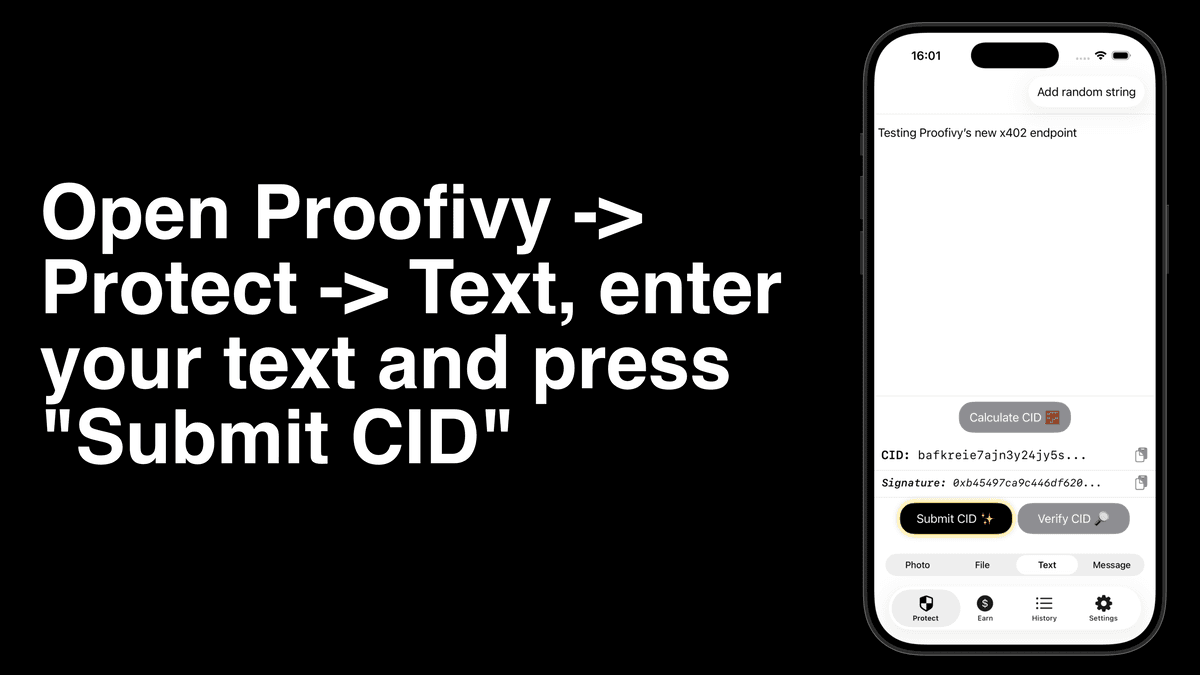
Enter your text and tap "Submit CID" to record a fingerprint of your work onchain. Complete the in-app purchase to confirm the submission. You can also share text directly from your favorite apps, such as Notes or Obsidian, into Proofivy using the system share option, making it easy to capture and notarize your ideas.
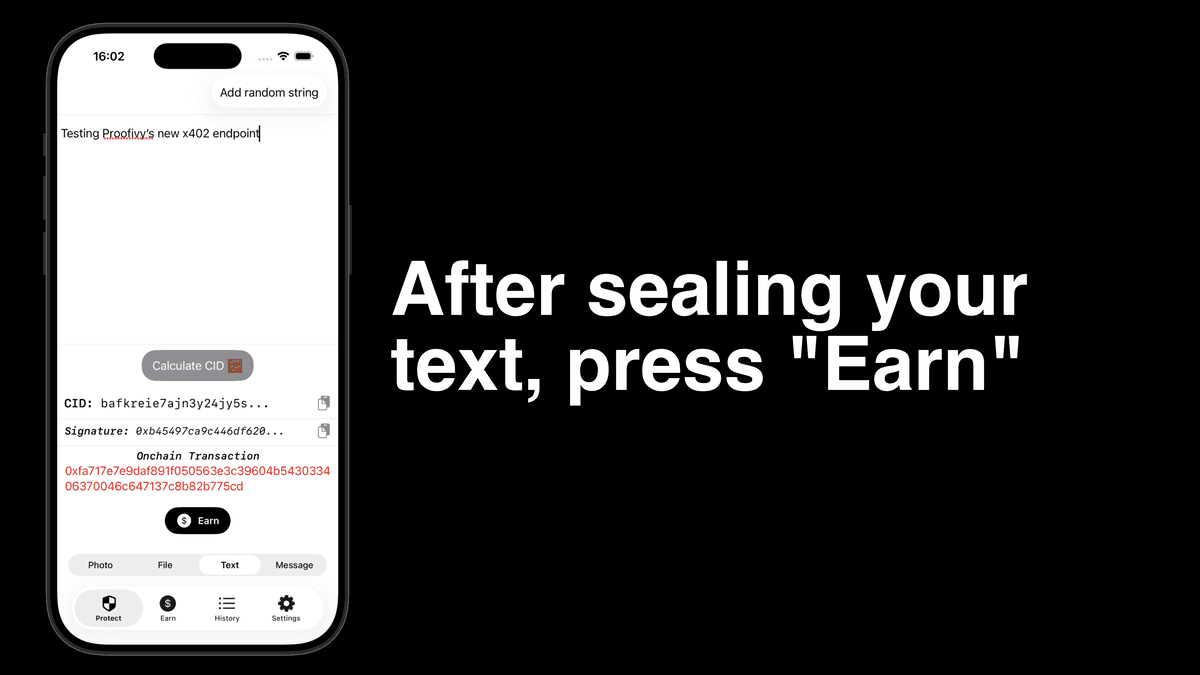
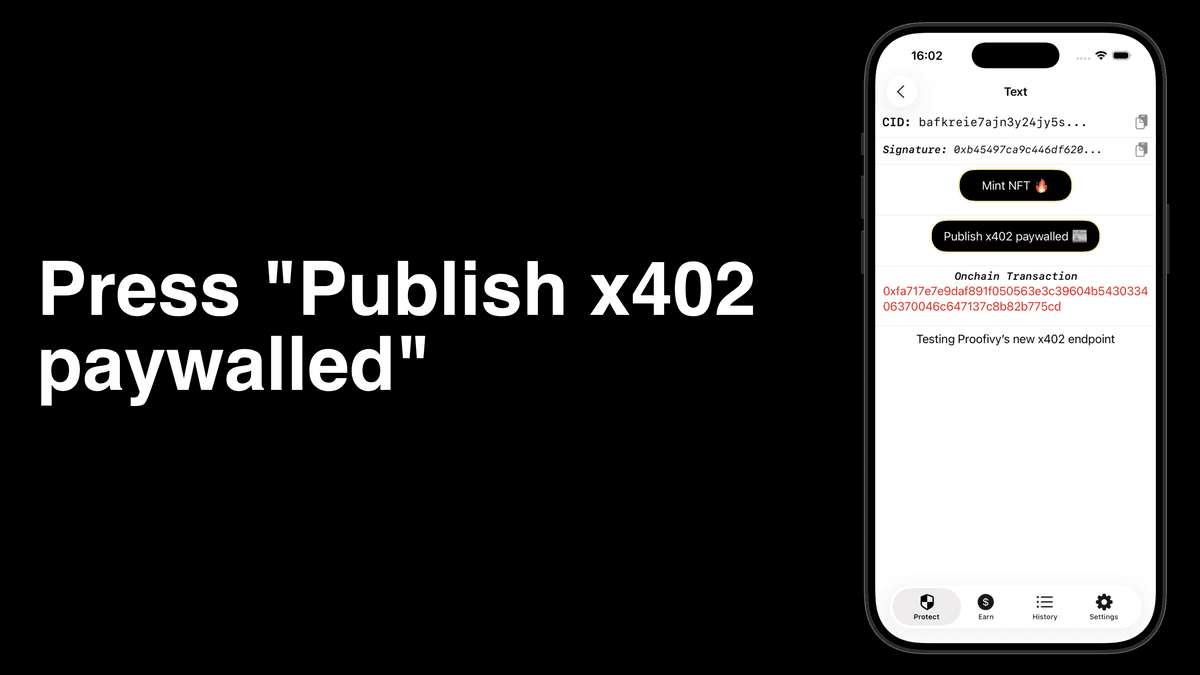
Once the commit is complete, press "Publish x402" to continue. You can also access your commits anytime under the "Earn" or "History" tabs.
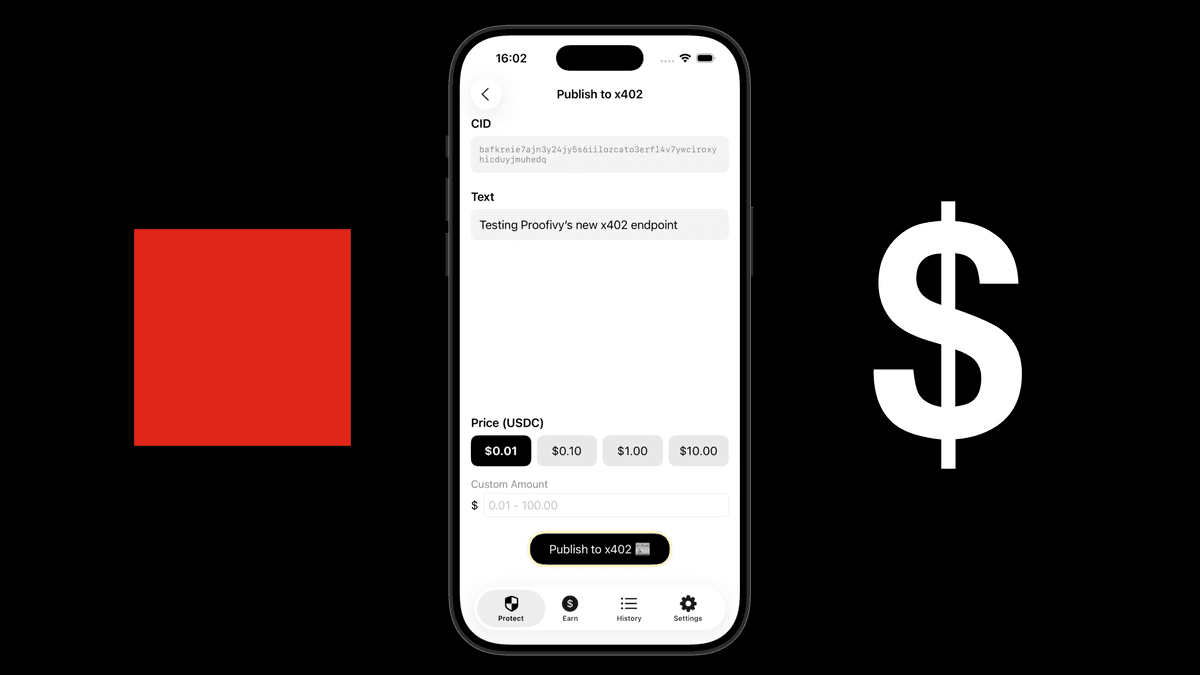
Choose or enter the amount you'd like to charge, then tap "Publish to x402." Make sure you've added your Base wallet address in Settings to receive USDC payments.

Your publication is now at https://library.proofivy.com/<YOUR_PROOFIVY_CID>, behind a payment request, ready to be read by AIs and humans.